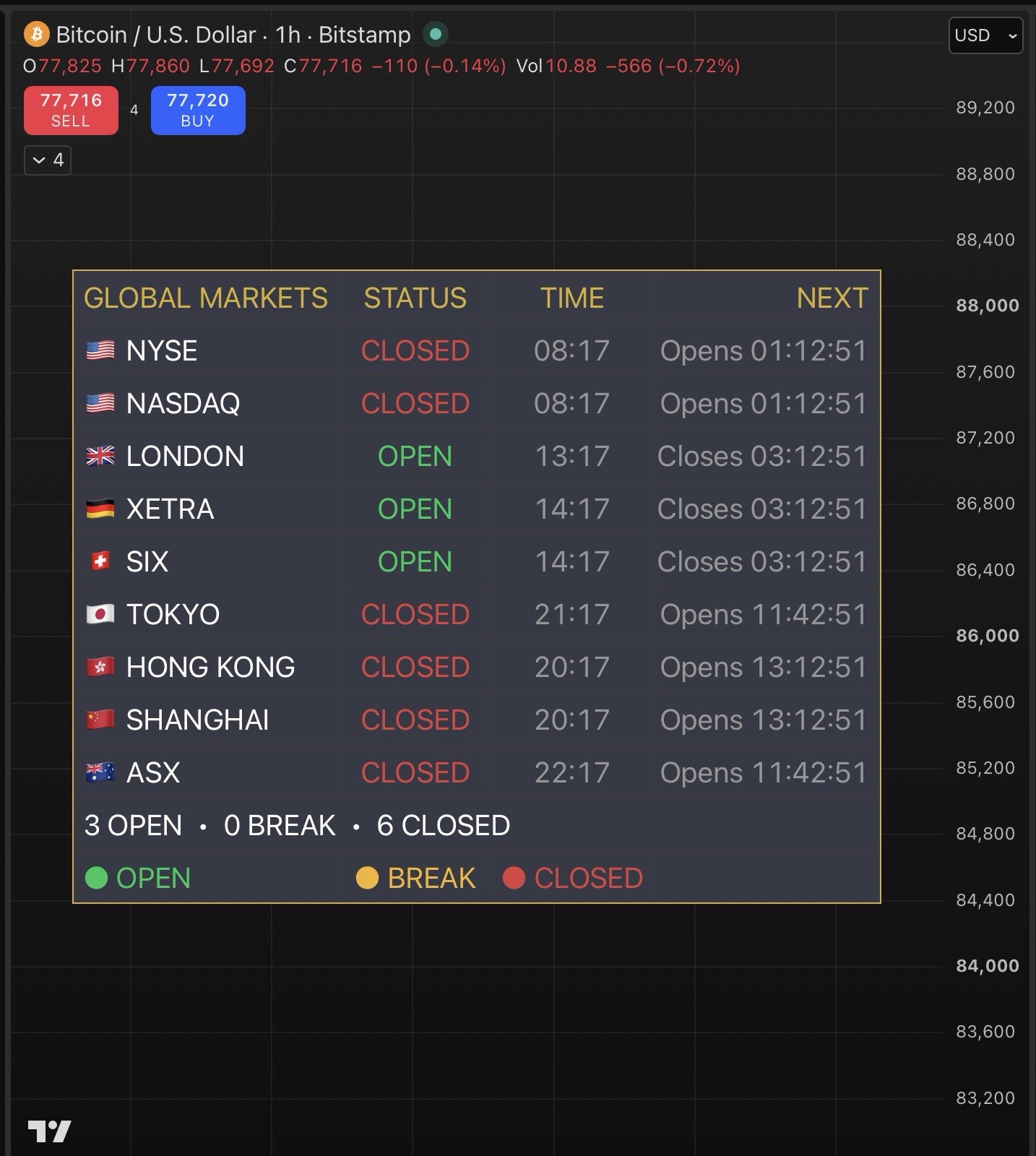
A highly customizable global market-hours dashboard designed to keep you informed about major stock-market sessions around the world — all from one clean panel on your chart.
Track NYSE, NASDAQ, London, Xetra, SIX Swiss, Tokyo, Hong Kong, Shanghai, and ASX and instantly see which markets are OPEN, on BREAK, or CLOSED.
🎯 What It Does
• Shows the current status of the 9 major global stock markets.
• Displays OPEN, BREAK, or CLOSED for each selected market.
• Shows the current market time using Exchange Time, Chart Time, or Both.
• Includes a live countdown to the next market event.
• Supports scheduled lunch breaks for Tokyo, Hong Kong, and Shanghai.
• Provides a simple global summary showing the number of markets currently OPEN, on BREAK, and CLOSED.
• Automatically calculates each market using its own exchange timezone, regardless of where you are located.
🎨 Highly Customizable
Make the dashboard fit your chart and your trading style.
• Choose from 9 different dashboard positions:
o Top Left
o Top Center
o Top Right
o Middle Left
o Middle Center
o Middle Right
o Bottom Left
o Bottom Center
o Bottom Right
• Choose from 4 text sizes:Tiny, Small, Normal, or Large.
• Choose whether to display Exchange Time, Chart Time, or Both.
• Turn the countdown on or off.
• Turn the market summary on or off.
• Choose exactly which markets you want displayed — hide any markets you don’t need.
• Fully customize the dashboard’s background, header, OPEN, BREAK, CLOSED, secondary-text, and border colors.
• Adjust individual market trading hours directly from the settings.
You can therefore make the dashboard minimal and compact, display only the markets you care about, or build a larger global overview showing everything.
🌍 Markets Included
🇺🇸 NYSE
🇺🇸 NASDAQ
🇬🇧 London
🇩🇪 Xetra
🇨🇭 SIX Swiss
🇯🇵 Tokyo
🇭🇰 Hong Kong
🇨🇳 Shanghai
🇦🇺 ASX
⏱️ Designed Around Market Sessions
The dashboard understands that not every exchange operates the same way.
Markets with scheduled midday breaks are displayed as BREAK rather than incorrectly showing them as closed. The countdown also tells you when the session will resume.
⚠️ What It Does NOT Do
This is a market-hours dashboard, not a trading-signal or market-analysis indicator.
It does not:
• Generate buy or sell signals.
• Predict market direction.
• Analyze price action.
• Execute trades.
• Provide technical or fundamental analysis.
• Track pre-market or after-hours sessions.
• Automatically detect exchange holidays.
• Automatically detect special early-close days.
Important: The dashboard uses the scheduled trading hours configured in the settings and regular Monday–Friday sessions. Exchange holidays and special early-close days are not included automatically.
💡 Simple, Flexible, Global
Whether you trade one market or follow markets across multiple continents, Global Stock Market Dashboard gives you a customizable way to see the world’s major stock-market sessions at a glance — without having to remember every exchange’s opening and closing time.
 World Financial Freedom